---
title: Skill Hub
description: Browse, search, and install AI Agent skills
---
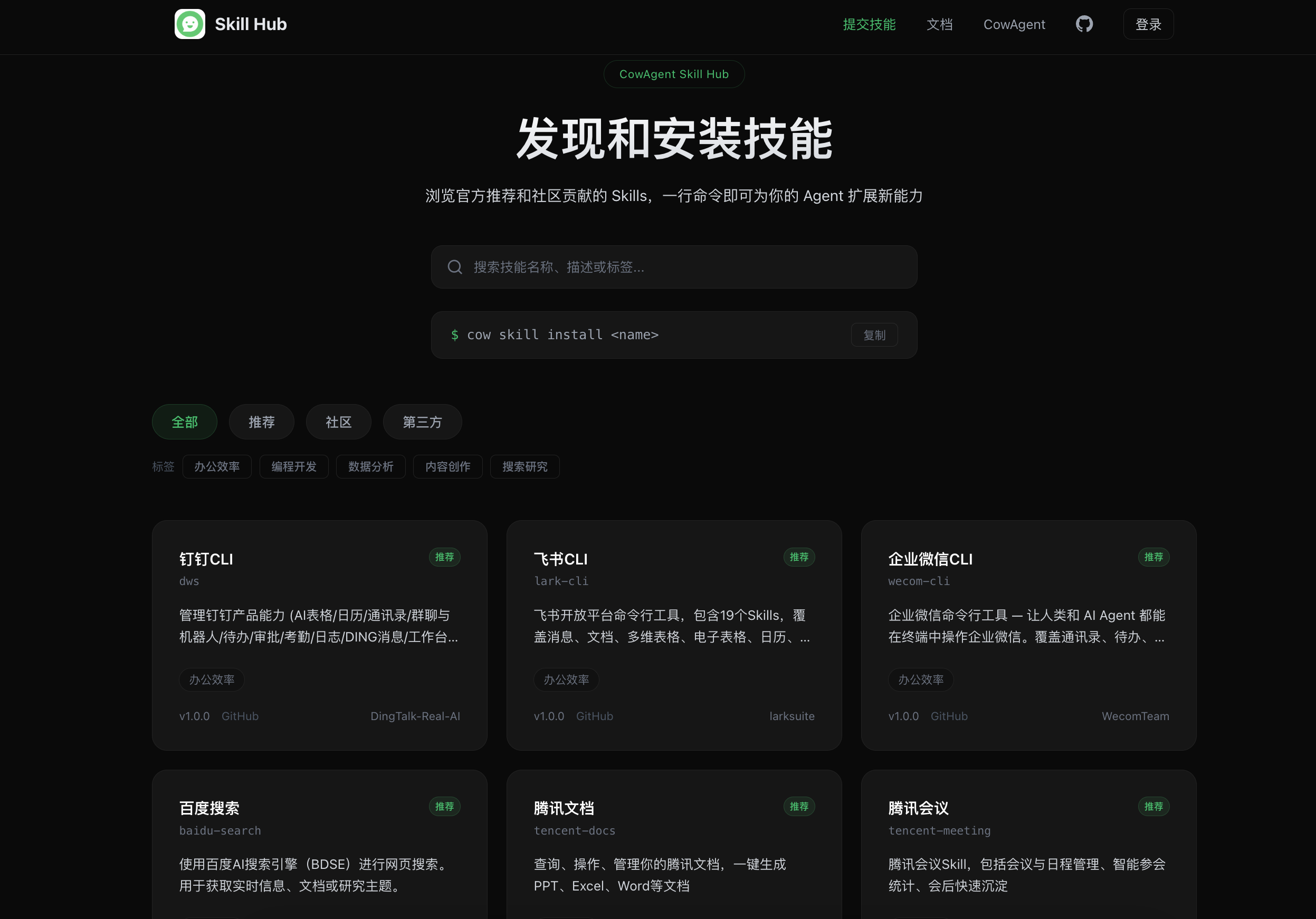
[Cow Skill Hub](https://skills.cowagent.ai/) is an open-source skill marketplace for AI Agents, aggregating official picks, community contributions, and third-party skills from GitHub, ClawHub, and beyond.
Source code: [github.com/zhayujie/cow-skill-hub](https://github.com/zhayujie/cow-skill-hub)
 ## Features
- **Browse skills** — filter by category (Featured / Community / Third-party) and tags
- **Search skills** — find skills by name or description
- **View details** — read the skill manifest, file contents, install command, and required environment variables
- **One-click install** — copy the install command and run it in CowAgent
## Installing a skill
Run the install command in chat or in your terminal:
```text Chat
/skill install
```
```bash Terminal
cow skill install
```
You can also browse the marketplace directly from chat:
```text
/skill list --remote
/skill search
```
Beyond the curated list, you can install third-party skills from **GitHub, ClawHub, LinkAI, or any URL** via the CLI. See [Installing skills](/skills/install) for details.
## Contributing a skill
To submit your own skill:
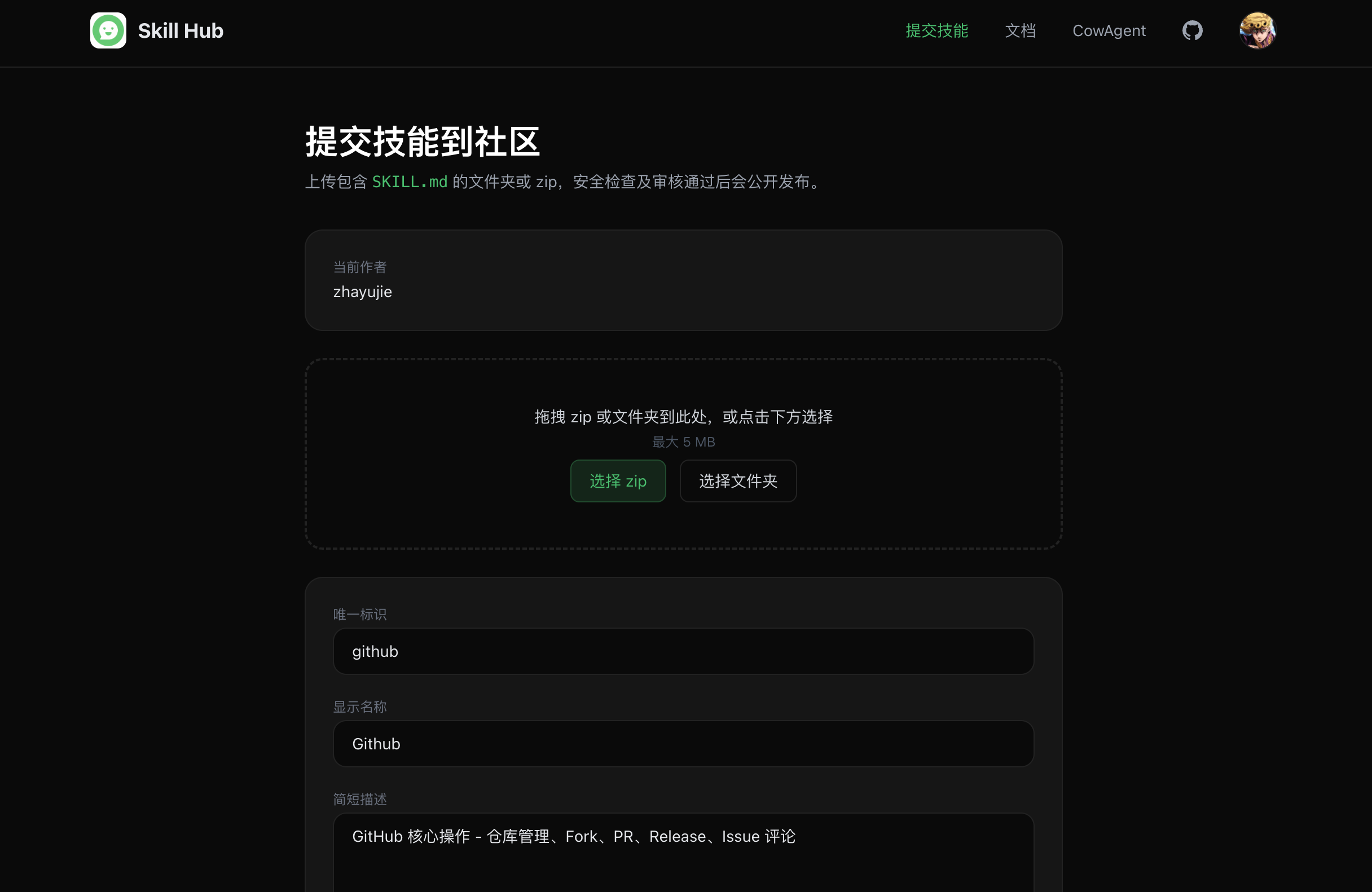
1. Visit [skills.cowagent.ai/submit](https://skills.cowagent.ai/submit)
2. Sign in with GitHub or Google
3. Upload a folder or zip file containing `SKILL.md`
4. Skill name, display name, and description are auto-detected — adjust as needed
5. Submit for review; skills go live after security and quality checks
## Features
- **Browse skills** — filter by category (Featured / Community / Third-party) and tags
- **Search skills** — find skills by name or description
- **View details** — read the skill manifest, file contents, install command, and required environment variables
- **One-click install** — copy the install command and run it in CowAgent
## Installing a skill
Run the install command in chat or in your terminal:
```text Chat
/skill install
```
```bash Terminal
cow skill install
```
You can also browse the marketplace directly from chat:
```text
/skill list --remote
/skill search
```
Beyond the curated list, you can install third-party skills from **GitHub, ClawHub, LinkAI, or any URL** via the CLI. See [Installing skills](/skills/install) for details.
## Contributing a skill
To submit your own skill:
1. Visit [skills.cowagent.ai/submit](https://skills.cowagent.ai/submit)
2. Sign in with GitHub or Google
3. Upload a folder or zip file containing `SKILL.md`
4. Skill name, display name, and description are auto-detected — adjust as needed
5. Submit for review; skills go live after security and quality checks
 Skill file layout:
```
your-skill/
├── SKILL.md # required, in the root
├── scripts/ # optional, runtime scripts
└── resources/ # optional, additional assets
```
Skills are built around the `SKILL.md` manifest. You can also download `SKILL.md` from a skill's detail page and use it with any Agent that supports custom instructions (OpenClaw, Cursor, Claude Code, and more).
Skill file layout:
```
your-skill/
├── SKILL.md # required, in the root
├── scripts/ # optional, runtime scripts
└── resources/ # optional, additional assets
```
Skills are built around the `SKILL.md` manifest. You can also download `SKILL.md` from a skill's detail page and use it with any Agent that supports custom instructions (OpenClaw, Cursor, Claude Code, and more).